WhatsApp Chatbot for UK Service Businesses
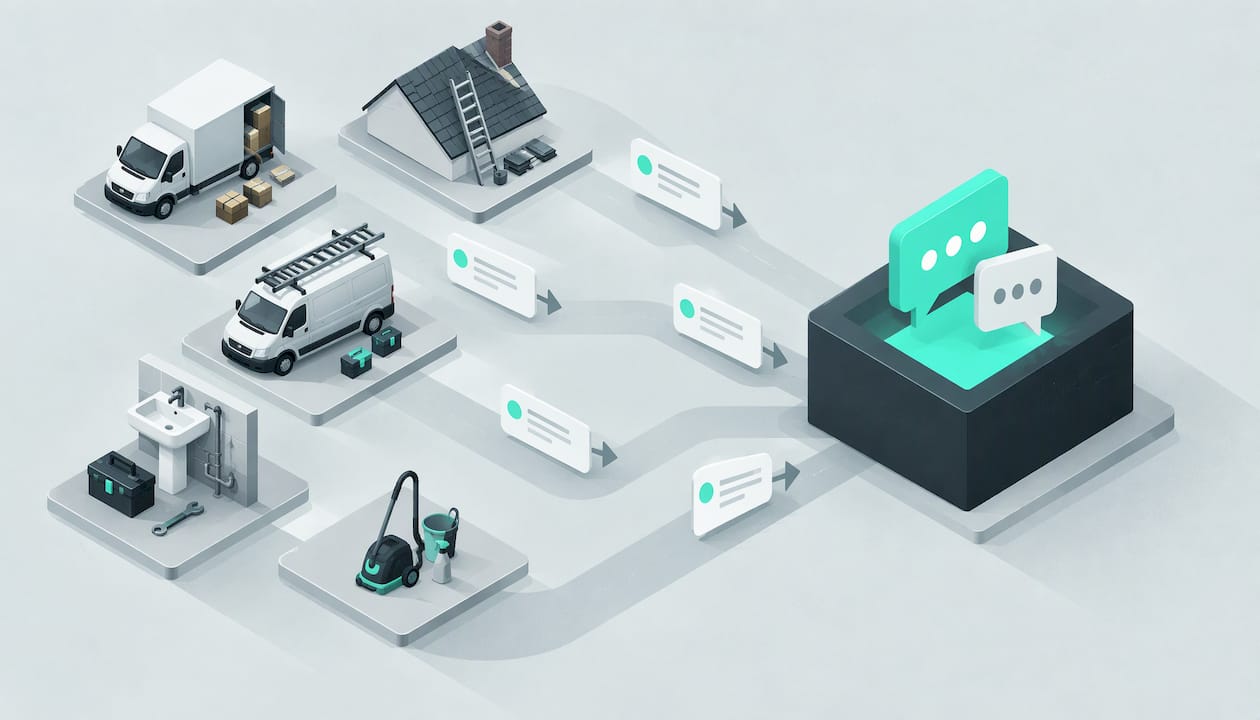
A WhatsApp chatbot answers customer messages on your business number while you are up a ladder or halfway through a house move. For a UK trade, the useful kind does more than show a button menu: it asks about the job, the postcode and the urgency, then hands your team the details. Here is how the options compare.
TL;DR
- A button-menu chatbot is cheap and tidy, but it struggles the moment a customer types something it did not expect or sends a photo.
- An AI agent can hold a normal conversation, qualify the job and pass your team a summary, which is what lead-driven trades actually need.
- The free WhatsApp Business app is a shopfront with quick replies. Automation at any scale sits on the WhatsApp Business Platform, which has a 24-hour customer service window and approved template messages.
- Whatever you choose, decide in advance what happens to urgent jobs and when a person takes over.
Table of Contents
- What is a WhatsApp chatbot for a trades business?
- Which is better: a button-menu chatbot, an AI agent or a person?
- What does a good chat look like for a removals firm?
- What does a good chat look like for a roofer?
- What is the difference between the WhatsApp Business app and the Business Platform?
- Do I need a chatbot, or will quick replies and an auto reply do?
- How does DeskAgent’s WhatsApp Agent work for a trades firm?
- What should I check before putting a chatbot on my WhatsApp number?
- What is our view on WhatsApp chatbots for trades?
- FAQ
- Sources
What is a WhatsApp chatbot for a trades business?
A WhatsApp chatbot is software that replies to messages sent to your business WhatsApp number. Some are simple: the customer taps “Get a quote” or “Emergency” and receives a canned answer. Others are AI agents that read what the customer actually wrote and reply in plain sentences.
It is worth separating three things that get mixed up:
- Your own WhatsApp Business app. Free, run from a phone, with a business profile, a catalogue and saved quick replies. You or your staff still type the answers.
- Meta’s own business assistant. Meta has a service called Meta Business Agent that answers questions about opening hours, services and pricing from your public profile and website. Meta’s help page says it is only available in limited countries to select businesses, with a waitlist for others.
- A chatbot or AI agent set up for your firm. This is trained on your services, your coverage area and your usual questions, and is the option that fits a removals firm or a roofer.
One rule change is worth knowing about. Meta’s terms changed on 15 January 2026 to bar providers from offering general-purpose AI assistants on the WhatsApp Business Solution. A bot built around your trade enquiries is a different thing from a general chat assistant.
Which is better: a button-menu chatbot, an AI agent or a person?
Most customers do not want to learn your menu. They write “hi, need a quote for a 2 bed move Saturday, Croydon to Reading” and expect an answer. The table shows where each approach holds up.
| Situation | Button-menu chatbot | AI agent | A person |
|---|---|---|---|
| Customer types free text that does not fit a button | Often replies with “Sorry, I didn’t understand” or loops back to the menu | Reads the message and asks the next sensible question | Handles it well |
| Customer sends a photo (a leaking gutter, a pile of furniture) | Cannot make sense of it, so it usually just logs it | Takes the job details in the chat and hands your team a summary with the full context | Looks at the photo and judges the job |
| Price questions | Only the few it has been given, often as a fixed list | Answers from the prices and FAQs you have set up | Gives a proper quote once they have seen the job |
| Out of hours (evenings, weekends, 2am burst pipe) | Replies instantly, but only along its menu | Replies 24/7 and asks about job type, postcode and urgency | Not available unless someone is on call |
| Urgent job | Treats it like any other choice from the menu | Qualifies urgency and routes urgent jobs to the owner | Only if they see the message in time |
| Handover to your team | A name and number if the customer got that far | A summary with the full context, so nobody asks the customer to repeat themselves | Already in the conversation |
| Typical cost | Low platform fee | A monthly subscription | Wages and cover for holidays and sickness |
The honest conclusion is that a person is best at judging a job and an AI agent is best at being there at 9pm on a Sunday, asking the right questions and passing everything on. A button menu sits uncomfortably in the middle: it is quick to build, but customers abandon it when it cannot cope with a real message.
What does a good chat look like for a removals firm?
Removals is a race. Someone planning a move sends the same message to three or four firms, and the one that replies first with sensible questions tends to get the conversation. Here is an example of how a good chat can run for a firm in Croydon. It is an illustration, not a customer story.
Customer: Hi, how much to move a 2 bed flat from Croydon to Reading? Hopefully mid-month.
Agent: Thanks for getting in touch. I’m the firm’s AI assistant. Which floor is the flat on, and is there a lift? And what date are you hoping for?
Customer: 3rd floor, no lift. Saturday the 14th.
Agent: Thanks. Is there parking close to the front door at both ends? And do you need packing, or just the move?
By the end, the team has the job type, the postcodes, the date, the access problems and the extras, all in one summary. The surveyor or office manager picks it up and gives a quote that fits. A menu would have asked the customer to choose between “Quote”, “Book” and “Other” and probably lost them at “Other”.
If you run a removals business, our removals page covers how the whole front desk fits that kind of work.
What does a good chat look like for a roofer?
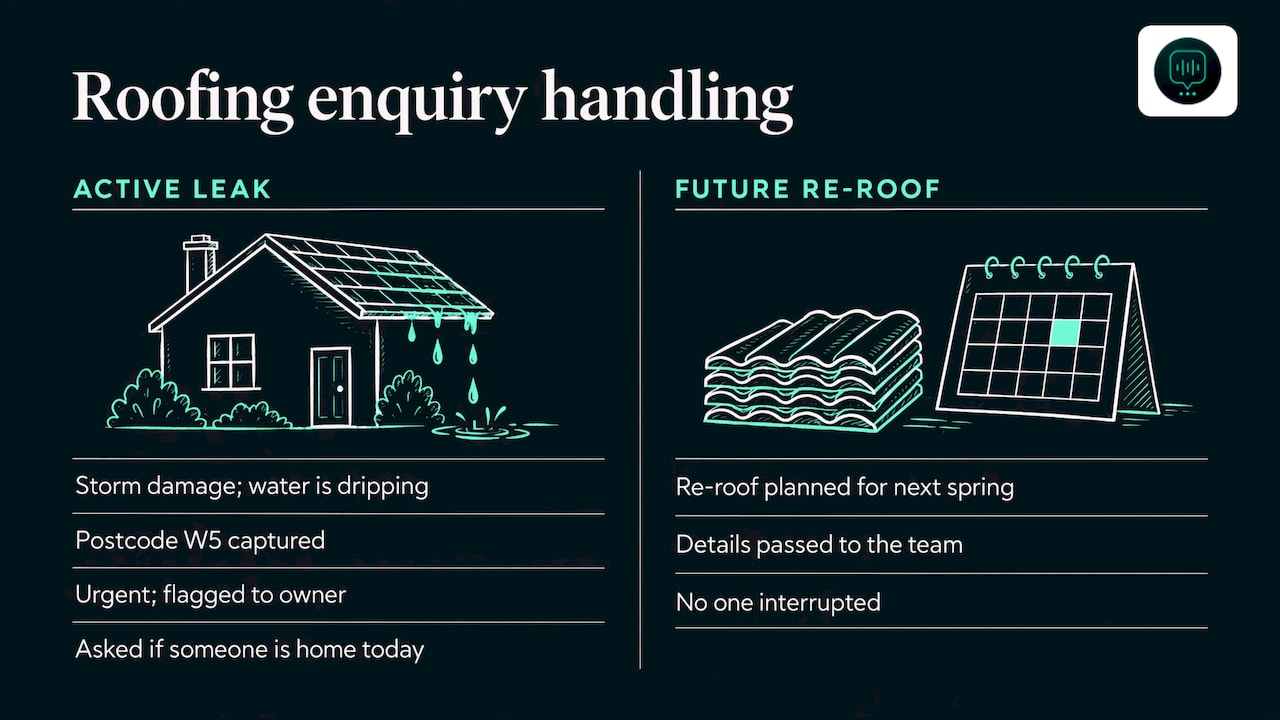
Roofers are in a different spot: they are rarely able to reply because they are on a roof. A missed message at 4pm often means the customer has moved on to the next name on their list by 4.15pm. An example for a roofer in Ealing:
Customer: Slates came off in the wind last night and there’s a damp patch on the landing ceiling.
Agent: Sorry to hear that. I’m the firm’s AI assistant. Is water coming in right now, and what’s the postcode of the property?
Customer: Yes, it’s dripping. W5.
Agent: Thanks, that sounds urgent so I’m flagging it to the owner now. Is there someone at the property today?
The agent has qualified the job (storm damage, active leak), taken the postcode, judged the urgency and routed it to the owner. A routine quote for a re-roof next spring would be treated differently, with the details taken and passed to the team without anyone being interrupted.
The same logic works for a drainage firm taking a blocked-drain call: job type, postcode and whether it is backing up into the house decide who rings back first.
What is the difference between the WhatsApp Business app and the Business Platform?
This is the part that confuses most owners, so here it is in plain English.
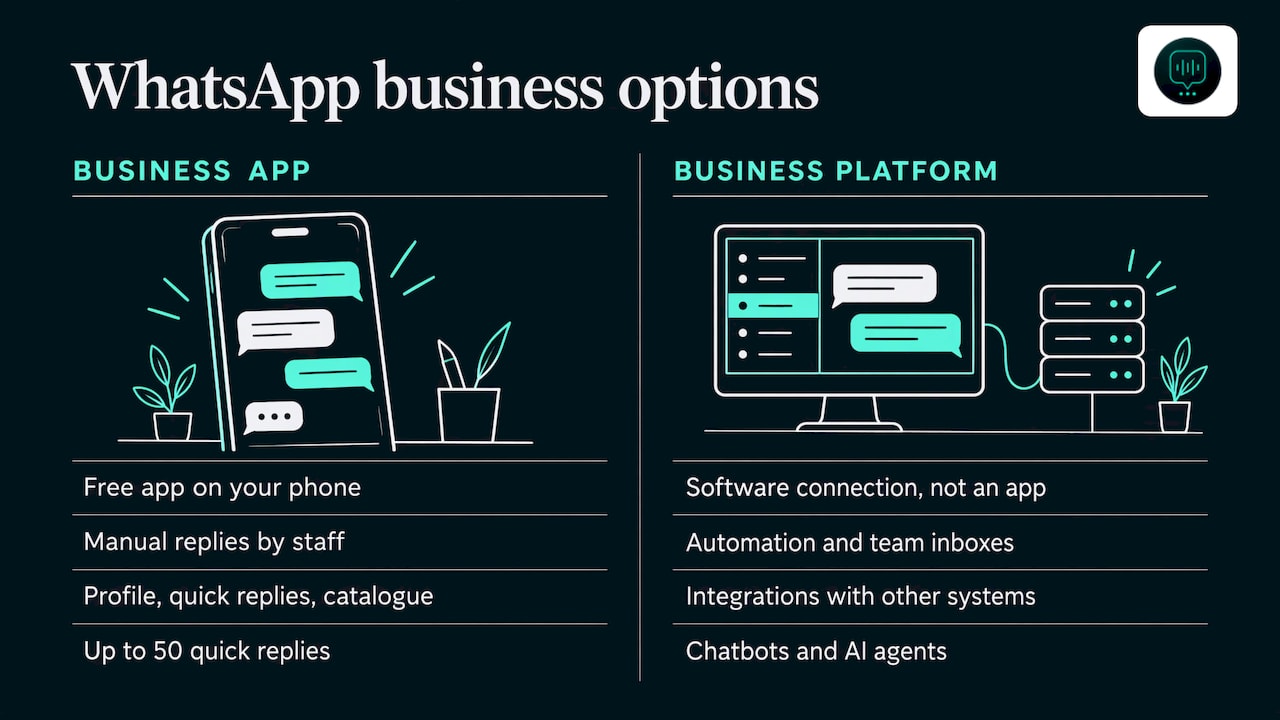
The WhatsApp Business app is the free app on your phone. It is a sensible starting point: you give it a separate business number, fill in your business profile, and set up quick replies, a catalogue and away and greeting messages. A UK setup guide from May 2026 lists up to 50 quick replies and a catalogue of up to 500 products or services. It is still you or your staff doing the replying, and a greeting message is not a conversation.
The WhatsApp Business Platform is the version built for automation, team inboxes and integration with other systems. It is not an app you download. It is a connection that software uses to send and receive messages on your behalf, and it is where chatbots and AI agents live.
Two terms matter once you are on the Platform.
What is the customer service window?
When a customer messages you, a 24-hour window opens. Inside it you can reply freely, in your own words. This is the usual position for a trades business, because customers write to you first: “how much for a gutter clean?” or “can you come today?”. If a customer’s message is a day old and you reply late, you are outside the window.
What are template messages?
Outside that 24-hour window, you can only start or restart a chat with a template: a message wording that has been approved in advance. Think of a reminder (“Your move is booked for Saturday, reply to confirm”) or a follow-up. You cannot send whatever you like. This is why a good set of approved wordings matters if you want to follow up after a quote, and why you should be sure customers have agreed to hear from you. Our post on WhatsApp consent wording for UK firms has examples.
For fees, the platform and the messaging costs are separate things, and the rules on what is charged have changed in recent years. Check the current pricing on the official page rather than relying on a figure from a blog post.
Do I need a chatbot, or will quick replies and an auto reply do?
If you get a handful of enquiries a week and always have someone free to answer, quick replies on the free app may be all you need. Our guide to WhatsApp quick replies for trades has ready-made wording, and the WhatsApp auto reply guide shows how to set up away messages.
The case for an agent gets stronger when:
- you are on jobs most of the day and cannot look at your phone;
- enquiries arrive out of hours, on weekends and in bursts after bad weather;
- the first firm to reply usually wins, as in removals, cleaning and pest control;
- several people need to see the same conversation. Our post on a WhatsApp shared inbox explains how teams share one business number;
- you want customers followed up rather than left to go cold.
Customers also choose different channels for different things. If you are weighing WhatsApp against texts, our comparison of WhatsApp versus SMS for business covers the practical differences.
How does DeskAgent’s WhatsApp Agent work for a trades firm?
DeskAgent® is an AI front desk for UK service businesses, made up of four agents (Phone, WhatsApp, Web and Inbox) plus DeskAgent HQ. The WhatsApp Agent answers WhatsApp messages for your business. It is set up for you, which means we do the build, and it is trained on your services, your coverage area and your FAQs.
In a conversation it:
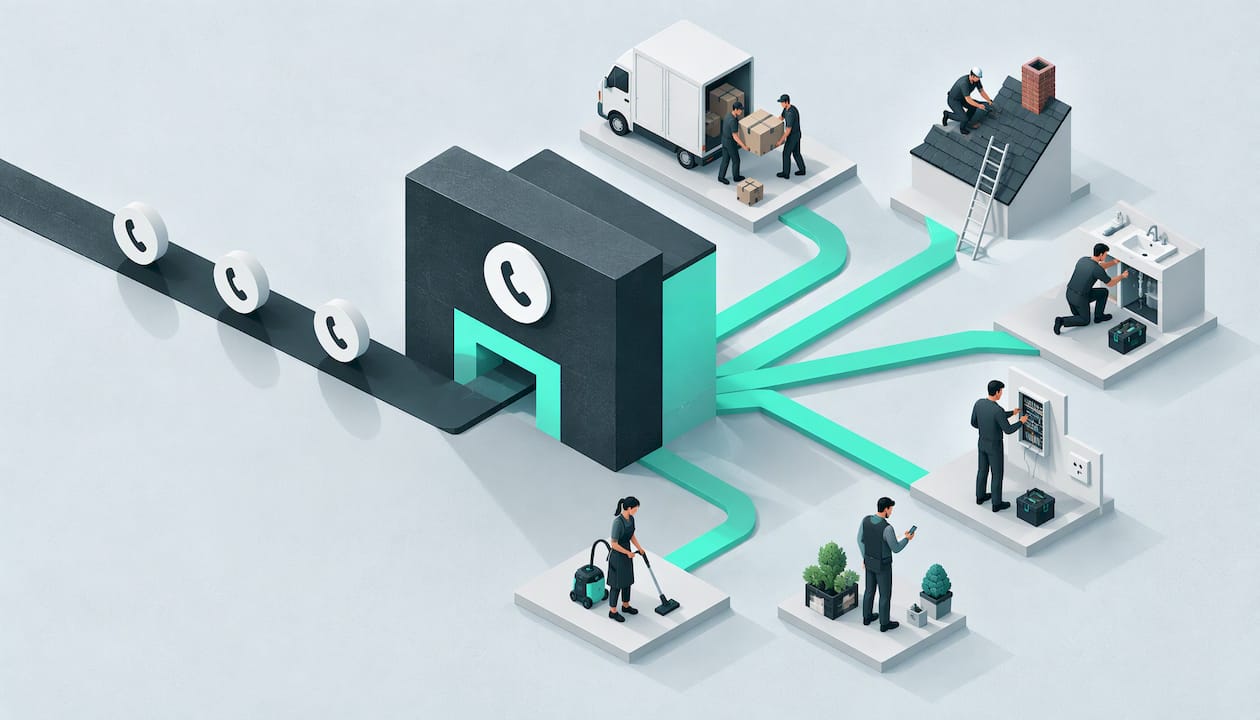
- qualifies each enquiry by job type, postcode and urgency;
- routes urgent jobs to the owner;
- books into your calendar;
- hands your team a summary with the full context;
- follows up with the customer on WhatsApp.
The agents are natural-sounding and always say they are AI if asked. Nobody is led to think they are talking to a person.
With DeskAgent HQ, you run it from one WhatsApp chat: update prices and FAQs, pause the agents, check today’s leads and ask for summaries when you want them.
What does it cost?
The WhatsApp Agent is £125 a month. Single agents have no setup fee, because the first month covers the build. There are no contracts and you can cancel any time. If you want all four agents, Full DeskAgent (all four agents plus DeskAgent HQ) is £285 a month. The Full DeskAgent 3-month pilot is a one-off £500 that covers the build and three months live, then £285 a month. The full list is on our pricing page.
The fastest way to see it is to book a free 30-minute demo: a 30-minute call where we show an agent built for your business.
What should I check before putting a chatbot on my WhatsApp number?
A few practical points will save you trouble whichever route you take.
- Decide what counts as urgent. A burst pipe, an active roof leak and a blocked drain backing up are not the same as a quote for a spring clean. Write the rules down before the bot is switched on.
- Decide when a person takes over. Large jobs, complaints and anything needing a site visit should reach a human quickly, with the whole conversation attached.
- Be open that it is AI. Customers are fine with a clear introduction, and an agent that tells people it is an AI assistant if asked is the right baseline.
- Get your data basics right. UK GDPR requires a lawful basis for processing WhatsApp data, a privacy notice that mentions WhatsApp, and replies to subject access requests within one month. WhatsApp data is processed in the US, so safeguards for transfers outside the UK are needed.
- Keep your prices and FAQs current. An agent is only as accurate as the information it has been given.
If you are comparing costs across receptionist tools generally, AI receptionist pricing for UK service firms lays out what firms like yours tend to look at.
What is our view on WhatsApp chatbots for trades?
We think most trades owners are asking the wrong question. It is not “which chatbot builder?” but “what happens to the enquiry that arrives while I’m on a job?”
A button menu answers instantly, but it makes the customer do the work. In removals, roofing and drainage, the customer rarely fits a menu: they describe a flat with no lift, a leak after a storm or a drain that has started backing up. That is why we built DeskAgent as four agents sharing one brain, trained on your services, postcodes and urgency rules, and set up for you rather than handed over as a do-it-yourself kit.
The WhatsApp Agent asks the questions you would ask, flags urgent jobs to you and leaves your team a summary with the full context. You stay in control through DeskAgent HQ on WhatsApp: change a price, pause the agents or ask for today’s leads. And because there are no contracts, you can try it on one agent without committing to the whole front desk.
We make no promises about results, because every firm and every week is different. What we do promise is that an agent will be there when you cannot be.
Monty Gordon, founder of DeskAgent
FAQ
Does WhatsApp have a chatbot built in for businesses?
Meta offers an AI service called Meta Business Agent, which answers questions from your public profile and website. Meta says it is only available in limited countries to select businesses, with a waitlist for others. A chatbot or AI agent trained on your own trade is a separate thing and works on your business number.
Is there a free WhatsApp chatbot for a plumber or roofer?
The free WhatsApp Business app gives you quick replies, a greeting message and an away message, but you still type the answers. Free builders exist, but the work of writing the flows and keeping them right falls on you. A done-for-you agent is a monthly subscription, and ours has no setup fee on single agents.
Can a chatbot tell the difference between a quote and an emergency?
A button menu only knows what the customer taps. An AI agent reads what they wrote and asks about job type, postcode and urgency, then routes urgent jobs to the owner. You set the urgency rules for your trade.
Will customers know they are talking to AI?
Our agents are natural-sounding and always say they are AI if asked. We would not want a customer to feel misled, and a clear answer builds more trust than pretending.
What happens if a customer messages after the 24-hour window?
On the WhatsApp Business Platform, once the 24-hour customer service window has closed you can only restart the conversation with an approved template message. That is why follow-ups use set wording, and why customers should have agreed to hear from you.
Sources
- About using Meta Business Agent to chat with customers
- WhatsApp changes its terms to bar general-purpose chatbots from its platform
- WhatsApp Business UK 2026: Setup, Costs and wa.me Links