Website Chatbot for Small Business: UK Guide

A website chatbot for a small business is worth having when it turns visitors into enquiries: it answers the common questions, asks the few things you need to quote, and passes the job to you with the details. For a trade, that means catching the 9pm roofing leak or removals quote before someone else replies.
TL;DR
- Most trade websites lose visitors at the contact form, because a form asks for effort and promises nothing about when you will reply.
- A good chat asks about job type, postcode and urgency in plain conversation, then hands you a summary so you can quote or call back.
- Ten questions, asked in the right order, do more for enquiries than any clever technology.
- The five biggest mistakes are dead-end bots, no handover, nothing out of hours, asking for an email first and letting spam through.
- DeskAgent® offers this as a done-for-you Web Agent at £85 a month, with no contracts and no setup fee.
Table of Contents
- Why does my website get visits but no enquiries?
- Contact form or AI chat: which turns more visitors into enquiries?
- What is the difference between a scripted bot, live chat and an AI chat agent?
- What 10 questions should my website chat ask?
- What mistakes make a website chatbot lose leads?
- Is a chat enough, or do I need to cover calls and WhatsApp too?
- How does the DeskAgent Web Agent turn visits into enquiries?
- What do we think about website chat for trades?
- How should a removals or roofing firm set up its chat in practice?
- FAQ
- Sources
Why does my website get visits but no enquiries?
Picture a drainage firm in Croydon. A homeowner searches for a blocked drain on their phone, lands on the site, and finds a form with six fields and a line saying someone will be in touch. They close the tab and ring the next firm in the results. Nothing is wrong with the website. It simply asked for too much and promised too little.
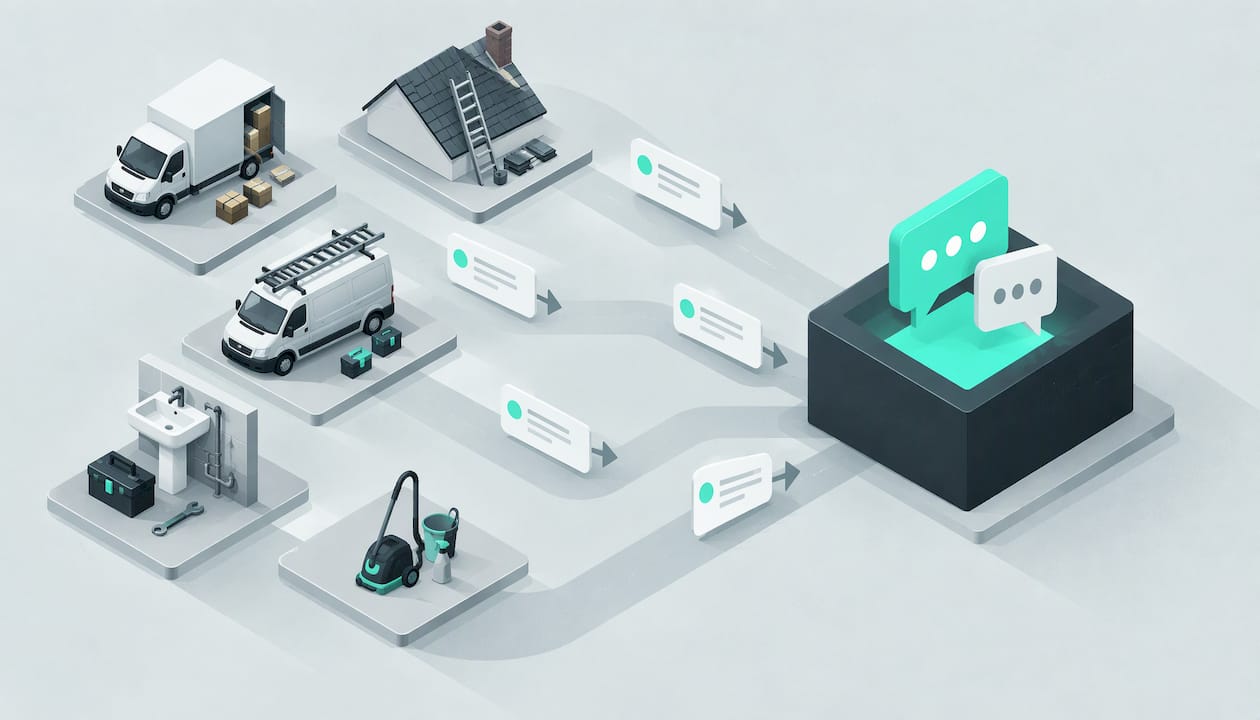
Visitors to a trade site are rarely browsing. They have a leaking roof, a flooded kitchen, a house move in three weeks or wasps in the loft. They want to know three things fast: do you cover my postcode, can you do this job, and when can someone come. A page that does not answer those within a few seconds loses the visit, and you never see it in your inbox because nothing was sent.
This is also why many owners think their website does not work, when the real gap is between the visit and the first reply. If you are on a roof or under a sink, you cannot reply. A chat on the site can.
The angle of this guide is therefore narrow on purpose. We are not interested in chatbot technology for its own sake. We are interested in whether a visit ends as an enquiry you can act on.
Contact form or AI chat: which turns more visitors into enquiries?
Both have a place. The contact form is the baseline every site has. Chat is what you add so that the visitor who would not fill in a form still reaches you. Here is how they compare on the things that matter to a trade owner.
| What matters | Contact form | Scripted chat bot | AI chat agent set up for your business |
|---|---|---|---|
| Effort for the visitor | Fill in several fields, then wait | Click through fixed buttons | Type or tap a question in their own words |
| Answers a question on the spot | No | Only if you wrote that exact answer | Yes, on the services, areas and FAQs it was trained on |
| Works at 9pm on a Sunday | Collects the message, no reply | Collects or replies from a fixed script | Replies and gathers the details for you |
| Asks about postcode and urgency | Only if you add fields | Only if scripted | Qualifies by job type, postcode and urgency |
| What you receive | A block of text, often thin | A form-style record | A summary with the full context |
| Handles an unexpected question | Not applicable | Often hits a dead end | Understands free-form wording |
| Setup effort for you | Low | You write and maintain the flows | Done for you with our Web Agent |
The table shows a pattern. The form is passive: it waits for the visitor to do all the work. Chat is active: it starts the conversation and does the sorting. For a roofing firm, that sorting is the difference between an emergency leak that needs a call tonight and a gutter clean that can wait until Thursday.
Keep your form. Some visitors prefer it, and it is a fallback. But if the form is the only route, you are asking every visitor to do the work of an enquiry before you have given them anything.
What is the difference between a scripted bot, live chat and an AI chat agent?
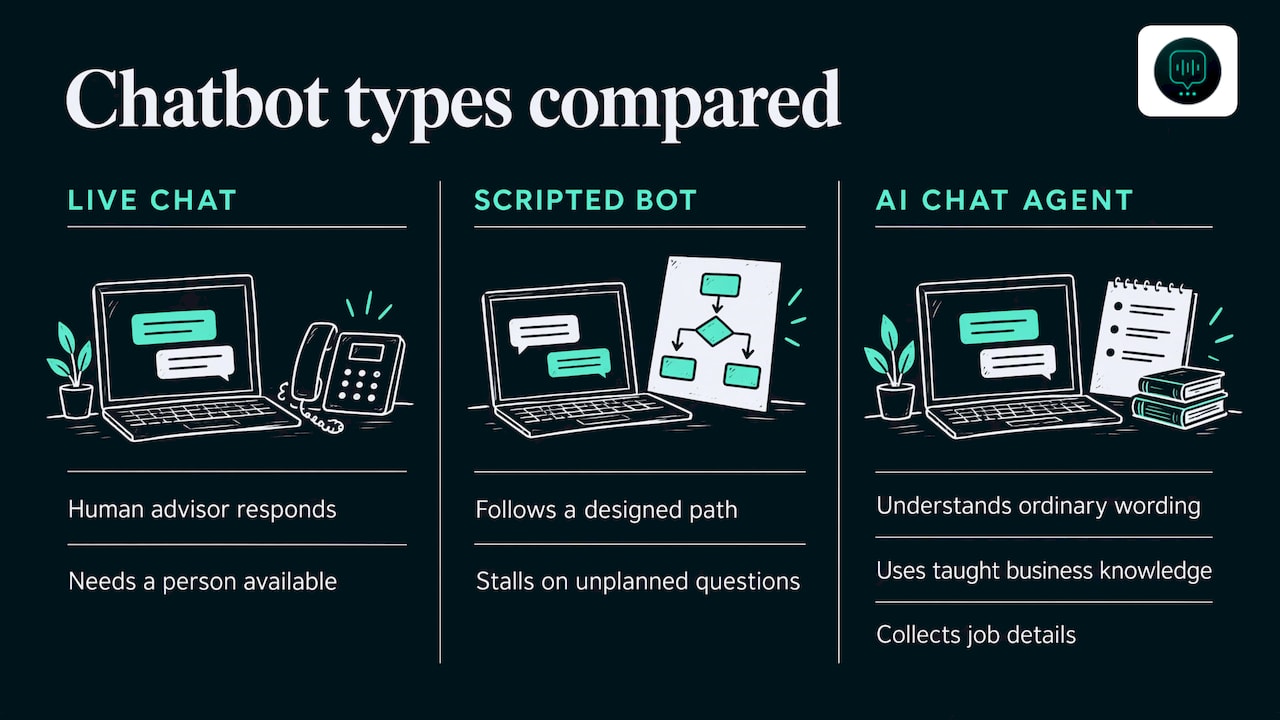
Three things get called a website chatbot, and they behave very differently.
Live chat puts the visitor in a conversation with a person. GOV.UK describes webchat and live chat as an online conversation with a human advisor, and it describes a chatbot as an application that helps users without a human advisor. Live chat is lovely when someone is sitting at a desk. For a plumber on a call-out, nobody is.
Scripted (menu-based) bots follow a path you design. They are predictable, but when a visitor types something you did not plan for, such as asking whether you will move a piano up three flights, they stall. The same GOV.UK guidance lists menu-based, keyword-recognition and more advanced chatbots, and notes that products can combine these.
An AI chat agent understands ordinary wording and can answer from what it has been taught about your business, then collect the details of the job. The quality depends heavily on how it is set up: what it knows about your services, where you work and what you charge for a visit. A bot with no knowledge of your business is a dead end with better grammar.
That last point is why we think of setup as the real product. For most small firms the question is not which technology to pick, but who will build it, train it and keep it right while you are busy working.
What 10 questions should my website chat ask?
A chat that fires off a dozen questions feels like an interrogation. A chat that asks nothing gives you nothing to quote from. The sweet spot is a short, natural conversation that covers the points below, in roughly this order, so you can decide how to respond. Each comes with a trade example.
- What do you need help with? This sets the job type. A pest control firm needs to know whether it is wasps, rats or bed bugs, because each is a different visit and price.
- What is the postcode of the job? Coverage is the quickest filter there is. A removals firm in Croydon does not want to quote a move starting in Newcastle by accident, and the visitor does not want to wait to find out.
- How urgent is it? A burst pipe is tonight. A bathroom refit is next month. A roofer in Ealing needs to know whether water is coming in now.
- Is it a home or a business property? Commercial cleaning and domestic cleaning are priced and scheduled differently, and facilities firms often work from a contract.
- How big is the job? For removals, the number of bedrooms and floors. For drainage, whether it is one sink or the whole property. For cleaning, the number of rooms or the floor area.
- Is there anything that affects access? Parking restrictions, stairs, a lift, a locked gate, pets. On a London move, parking for the van can change the quote.
- When would you like the work done? This turns an enquiry into something you can put in the diary, and it is where calendar booking earns its keep.
- Can you describe or share what you are seeing? A short description of a stain on the ceiling, or a photo where the chat allows it, saves a wasted first visit.
- What is the best name and way to reach you? Ask this once the visitor has had something useful back, not before. More on that in the mistakes below.
- How would you like us to follow up? A call, a WhatsApp message or an email. Many customers on a phone would rather get a WhatsApp reply than wait for a call they may miss.
Notice what is not on the list: nothing about budget before you have said what the work involves, and nothing that makes the visitor feel they are applying for a loan. Questions one to three are the ones that matter most. If a visitor gives you only those, you can still triage.
This is the same logic we cover in our guide to AI lead qualification: ask what lets you act, and let the rest follow in the quote.
What mistakes make a website chatbot lose leads?
Most failed chat set-ups fail in the same five ways. All five are fixable, and none of them is about the technology.
Dead-end bots
A visitor asks a perfectly reasonable question and gets a reply of the type ‘Sorry, I did not understand that’, again and again. After the second one they leave. A dead end is worse than having no chat, because it tells the visitor you are hard to reach.
The fix is to teach the chat your services, your coverage area and your usual questions, and to give it a way out that is never a wall: it should always be able to take a name and a way to reach you. Think of a roofer’s chat asked about a flat roof repair it does not cover. A good answer says so and, where it makes sense, still records the enquiry.
No handover
The chat gathers the postcode, the job and the phone number, and then the details sit in a dashboard no one opens. Or they arrive as a vague notification with no context, and you ring the customer to ask everything again.
A handover that works gives your team the lot: who it is, what they need, where, how urgent it is and what has been said. Ours produces a summary with the full context so whoever picks it up does not start from scratch. Urgent jobs should reach the owner directly, not wait in a queue.
Nothing out of hours
Trade enquiries do not follow office hours. People look for a plumber in the evening, when they get home and find the problem, and for a removals quote on a Sunday when they sit down to plan the move. If your site goes quiet at 5pm, you are handing those enquiries to whoever answers.
For how this looks on the phone side as well, see our piece on after-hours calls for service owners. The principle is the same on the website: someone, or something, should be there when the visitor is.
Asking for an email first
A chat that opens with ‘Please enter your email to continue’ behaves like a locked door. The visitor came to ask a question, not to join a list. Many will simply go.
Let the conversation give value first: answer, then ask about the job, then ask how to reach them. Offer the contact route that suits the customer. For a lot of homeowners on a phone, that is WhatsApp rather than email.
Letting spam through
A public chat box and a public contact form both attract junk. If every message becomes an alert, real jobs get buried and your team learns to ignore the lot. Qualifying questions are a natural filter, because a genuine customer can say what the job is and where it is.
On the email side, the Inbox Agent in the DeskAgent set-up reads email enquiries, filters spam and replies, so the junk that arrives by that route does not reach you either.
Is a chat enough, or do I need to cover calls and WhatsApp too?
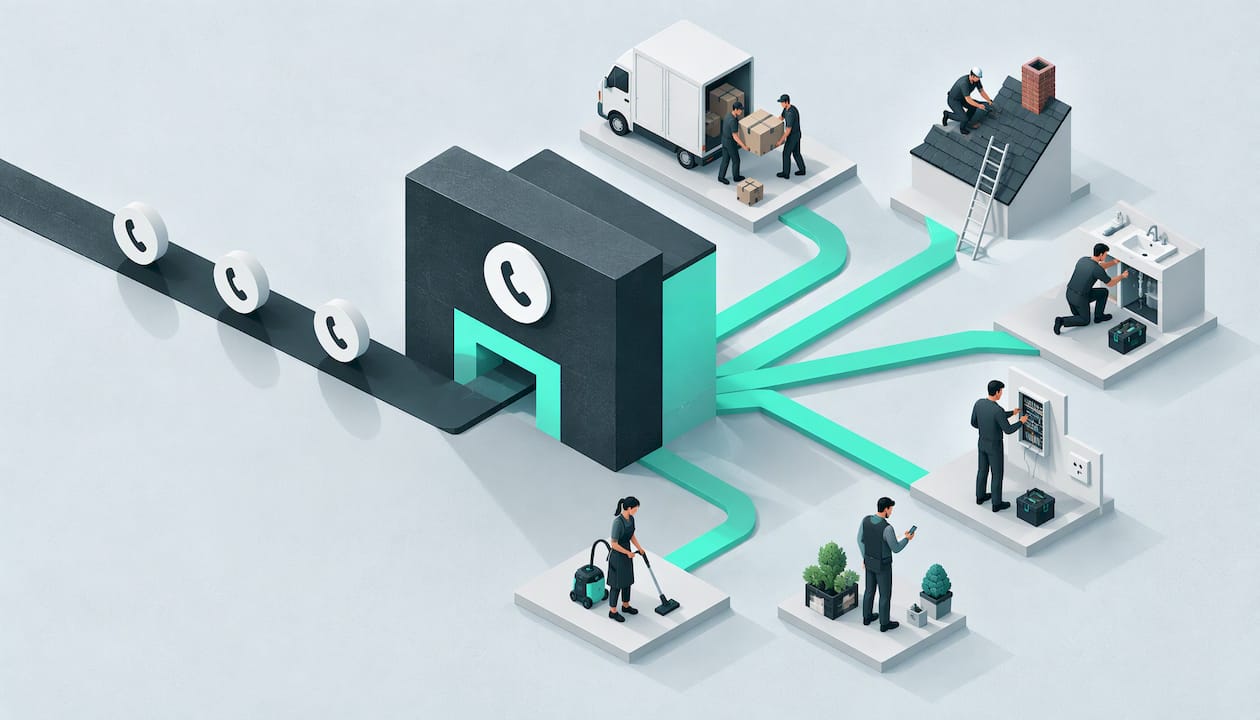
A website chat only catches visitors who are on the website. Many trade enquiries start by phone or on WhatsApp, often from a Google listing or a van sign. The enquiry is the same whichever door it comes through, so the details and the follow-up should be handled the same way.
That is why we build four agents that share one brain: Phone, WhatsApp, Web and Inbox. What the Web Agent learns about your services and postcodes is what the others use too. The wider picture is in our post on multichannel customer service for service firms, which also covers following up the customer so a quote does not go cold.
If you want to start small, the website is a sensible first channel. You can add the others later.
How does the DeskAgent Web Agent turn visits into enquiries?
Our AI chat agent runs the chat on your website. It is set up for your business, done for you, and trained on your services, your coverage area and your FAQs. It qualifies each enquiry by job type, postcode and urgency, routes urgent jobs to you, books into your calendar and hands your team a summary with the full context. It then follows up with the customer on WhatsApp.
The agents sound natural, and they always say they are AI if asked.
The Web Agent is £85 a month. There are no contracts and you can cancel any time. Single agents have no setup fee: the first month covers the build. If you want all four agents plus DeskAgent HQ, which lets you run everything from one WhatsApp chat, Full DeskAgent is £285 a month. The Full DeskAgent 3-month pilot is a one-off £500 covering the build and three months live, then £285 a month. All prices are on our pricing page.
If you would like to see it working on your own kind of work, you can book a free 30-minute demo. It is a 30-minute call where we show an agent built for your business.
What do we think about website chat for trades?
We started DeskAgent because the same story kept repeating with London trades and maintenance firms: good work, a decent website, and enquiries slipping away because nobody could reply while they were on a job.
Our view is that a website chat should be judged by one thing: did the visitor become an enquiry you can act on? A clever widget that nobody trained on your services does not do that. A chat that knows your postcodes, asks the right few questions and hands you a clear summary does.
That is why we do the set-up for you rather than giving you a tool and a manual. You run a removals firm or a roofing business, not a chatbot project. Once it is live, DeskAgent HQ lets you ask for today’s leads and summaries on WhatsApp, pause the agents or update a price, all from one chat.
The sensible way to start is with the website, because that is where many visits are already being lost. When you are ready, the same set-up extends to calls, WhatsApp and email. If you want to see how it would handle your own jobs, book a free 30-minute demo and we will show you.
Monty Gordon, founder of DeskAgent
How should a removals or roofing firm set up its chat in practice?
A short checklist keeps the set-up honest, whatever you choose.
- Write down your coverage. Postcode areas you serve, and any you will not. A removals firm might serve Greater London and nearby counties but not long-distance moves, and the chat should say so politely. Our removals page shows how this applies to moving firms.
- List your top ten questions. Call-out charges, how fast you can attend, whether you are insured, whether you do weekends. These are the questions your phone rings about now.
- Decide what counts as urgent. For a roofer, active water ingress. For drainage, sewage backing up. For pest control, a wasp nest by the front door with children about. Urgent jobs should reach you directly.
- Decide what the chat must never promise. Fixed prices for jobs you have not seen, exact arrival times, and any legal, medical or financial advice. Chat should collect the facts and leave the quote to you.
- Choose how customers get their follow-up. A WhatsApp message is quick for most customers and easy to answer from a phone.
- Test it with your own awkward questions. Ask it the oddest thing a customer has asked you and see whether it stays within what you have taught it.
With a done-for-you service, much of this is a conversation with us rather than a project for you, but it is still worth having the answers ready.
FAQ
Do I really need a chatbot, or is a contact form enough?
A contact form is enough to receive messages, but it does nothing for the visitor who wants an answer before they hand over their details. If your site gets visits but few enquiries, adding a chat gives those visitors a quicker route in. Keep the form as a second option.
Will a website chatbot sound like a robot to my customers?
Our agents sound natural and are set up around your services, so they talk about your work in plain language. They always say they are AI if a customer asks. Customers generally care more about getting a clear answer quickly than about who or what typed it.
What happens when someone messages at night or while I am on a roof?
The chat replies, asks about the job, postcode and urgency, and records the details. Urgent jobs are routed to you. Others go to your team as a summary with the full context, so you can respond when you are off the ladder.
Can I stop it saying the wrong thing about my prices or services?
It is trained on your services, coverage area and FAQs, and you can update prices and FAQs or pause the agents from DeskAgent HQ, which runs from one WhatsApp chat. Keep quotes for jobs you have not seen as something you give personally.
Am I tied into a contract?
No. There are no contracts and you can cancel any time. A single agent has no setup fee, because the first month covers the build.