Last updated
WhatsApp Shared Inbox: How Your Team Can Share One Number
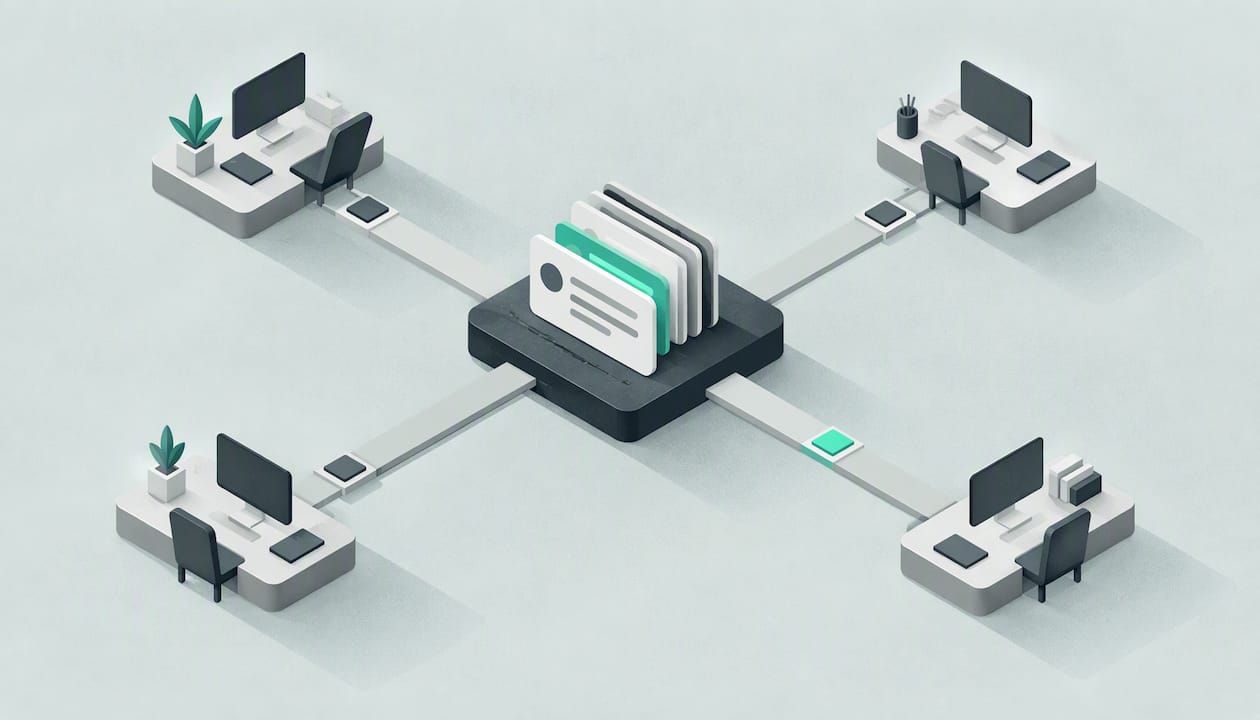
The number on your van is the number on your website, and it usually lives in one person’s pocket. When they are up a ladder, driving or on holiday, WhatsApp enquiries sit unread and the customer books someone else.
A WhatsApp shared inbox fixes that by letting several people read and answer messages sent to one business number. For a small UK trades or service firm there are two routes: the free WhatsApp Business app with linked devices, which suits a very small team, or the WhatsApp Business Platform through a provider, which is built for shared work.
This guide explains both, how to assign chats so nothing falls through, what response times to aim for and what UK data protection expects of you. It is written for removals, roofing, drainage, plumbing, cleaning and property maintenance firms.
TL;DR
- The free WhatsApp Business app lets one phone plus up to four linked devices share a number. That is a hard ceiling, and there is no proper chat assignment.
- A true shared inbox runs on the WhatsApp Business Platform, accessed through a provider. It gives browser-based access for as many team members as you need, with assigned chats and internal notes.
- Whatever you choose, agree who owns each chat, how fast you aim to reply and what happens out of hours.
- Customer messages are personal data. Under UK GDPR and the Data Protection Act 2018, a personal handset with no oversight is a risk, especially when staff leave.
- An AI front desk can answer first and hand your team a summary, so the shared inbox holds qualified enquiries rather than every raw message.
Table of Contents
- Why one phone stops working
- Option 1: the free app with linked devices
- Option 2: the WhatsApp Business Platform and shared inbox tools
- Which option suits which firm
- How to set up a shared WhatsApp inbox
- Assigning chats so nothing falls through
- Response times: set a standard you can keep
- Security and UK data protection
- Where an AI front desk fits
- Our view: share the work, but filter it first
- FAQ
- Sources
Why one phone stops working
Most small firms start the same way. The owner sets up WhatsApp on their own mobile, puts the number on the website, and customers begin to message photos of a leaking gutter or a list of furniture for a house move.
That works until it does not. Here is how it tends to break:
- The owner is on a roof, under a sink or driving the removals lorry. Messages sit unread for hours.
- The office manager needs to reply but does not have the phone, so the owner forwards screenshots.
- Nobody knows who has replied. Two people answer the same customer, or neither does.
- Someone leaves and takes the full conversation history, including addresses and photos of customers’ homes, on their own device.
Communication tools matter to small firms more than most owners admit. Ofcom’s 2022 research on SMEs found that 83% of SMEs said they could not function without communication services. Messaging is also where the volume is moving: Ofcom’s Communications Market Report 2025 reports outgoing messages on online communication services reached 820 billion in 2024, up 6% on the year before.
Customers message on WhatsApp because it is quick and familiar. The firm that answers sensibly, from a number that is not one person’s private phone, looks more professional and loses fewer jobs. If you are still weighing up channels, our WhatsApp vs SMS guide compares the two.
Option 1: the free app with linked devices
The WhatsApp Business app is free and lets you add a business profile, a catalogue, quick replies and labels. You can also link other devices to the same account. According to WhatsApp’s help centre, you can link up to four devices alongside your main phone, and your main phone has to connect regularly (every 14 days) to keep the linked devices signed in.
In practice, that gives you:
- the owner’s phone as the main device
- a laptop in the office
- a tablet in the workshop or yard
- up to two more computers or tablets
This is a sensible start for a two- or three-person firm, such as a small cleaning company where the owner and an office manager both need to see the same chats.
Where it falls short
- A fixed ceiling. One main phone and four linked devices, and no more.
- No assignment. You cannot hand a chat to a named colleague and see that they have it.
- No internal notes. You cannot leave a private comment such as “surveyor visiting Thursday” on the thread.
- The phone is still the anchor. If it is lost, switched off for too long or taken by a leaver, the whole set-up wobbles.
- Labels are not workflow. They help you sort chats, but they will not tell you which enquiries are waiting longest.
For a firm taking a handful of WhatsApp enquiries a day, those limits are tolerable. Once more than two or three people touch the same number, the gaps start costing work.
Option 2: the WhatsApp Business Platform and shared inbox tools
The WhatsApp Business Platform is the version of WhatsApp built for companies that need more than an app on a phone. You do not use it directly. You access it through a provider, which supplies the screen your team works in. The WhatsApp Business Platform documentation sets out how the platform works and what it is designed for.
When a provider builds a shared inbox on top of it, you typically get:
- Browser-based access so any team member can log in from a desktop or phone without borrowing the owner’s handset
- Many users on one number, not capped at four linked devices
- Conversation assignment, so each chat has a named owner
- Internal notes visible to the team but never to the customer
- Links to other systems such as a customer list or job diary, depending on the provider
That feature set is why larger teams make the move. The detail varies by provider, so check each item against what you actually need rather than assuming it is included.
What changes in daily life
Your number moves onto the platform, and it generally cannot then be used in the ordinary app at the same time. Provider rules differ on this, so ask before you switch a number customers already use. Plan the move for a quiet day, tell your team, and keep your old chat history in mind: ask what will and will not carry across.
You will also usually pay a monthly fee to the provider, and WhatsApp itself charges for certain types of business-started messages. Prices change, so get current figures from the provider and from the documentation rather than from a blog post.
A note on phones and calls
Many trades firms also want their phones sorted in the same exercise. If you are reviewing how calls reach the office as well, it is worth looking at business phone system options alongside your messaging, so the number on the van and the number on WhatsApp are not two separate headaches.
Which option suits which firm
| Free app + linked devices | Platform via a provider | |
|---|---|---|
| Team size | Up to five devices in total | Not capped at four linked devices |
| Assign chats | No | Yes, in most tools |
| Internal notes | No | Yes, in most tools |
| Access without the owner’s phone | Limited | Browser-based |
| Typical fit | Sole trader plus one helper | Firms with an office team or several crews |
| Cost | Free app | Provider subscription |
A rough rule: if only the owner and one other person ever look at WhatsApp, start with the free app. If you have a coordinator, an estimator and a couple of crew leaders all needing to see messages, you want the platform.
How to set up a shared WhatsApp inbox
- Decide who answers what. A drainage firm might route emergency blockages to the on-call engineer and quote requests to the office. A removals firm might send survey requests to the estimator.
- Pick the number. Use the number customers already know if you can, and check the provider’s switching rules first.
- Choose the route. Free app with linked devices for the smallest teams, platform with a provider for everyone else.
- Set up the business profile. Add your trading name, service area and opening hours so customers know what to expect.
- Create assignment rules. Every chat should have one named owner. Unowned chats are the ones that get missed.
- Write standard replies. Cover the questions you answer daily: coverage, call-out process, what photos help.
- Test with the team. Send messages from a personal phone, check they land in the right place and that notes stay private.
- Write a short policy. Who can access the inbox, what happens when someone leaves and how long you keep chats.
Our own take on automatic replies is in our guide to WhatsApp auto reply, which is worth reading before you write your standard messages.
Assigning chats so nothing falls through
A shared inbox without clear ownership is just a noisier phone. A few habits make the difference.
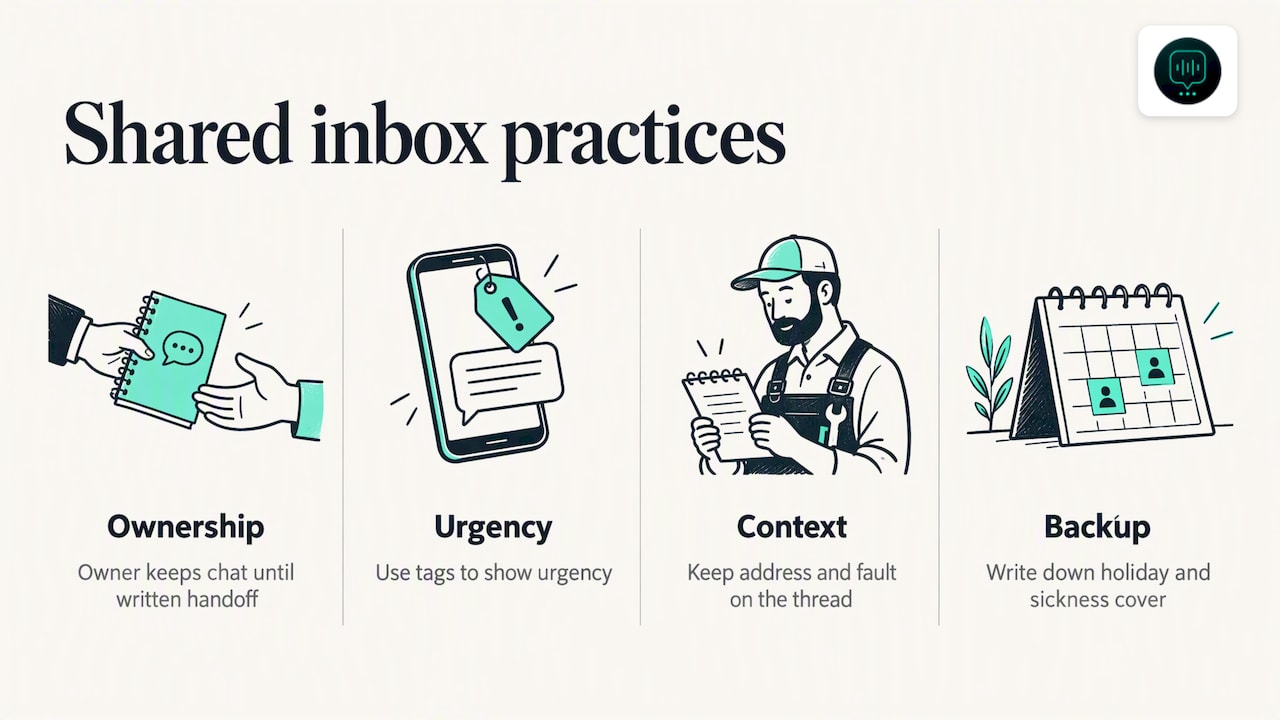
One chat, one owner. The person who picks it up owns it until they pass it on in writing, in the notes.
Sort by urgency, not arrival time. For a roofer, a message saying water is coming through a ceiling outranks a request for a quote on a garage roof. For a pest control firm, a wasp nest in a school outranks a routine rodent check. Use labels or tags to show urgency, and agree in advance what counts as an emergency. Our emergency maintenance calls guide sets out the triage questions to ask.
Keep context on the thread. When a plumber takes over a chat from the office, they should not have to ask the customer to repeat the address and the fault.
Name a backup. Holiday and sickness cover should be written down, not remembered.
Response times: set a standard you can keep
Customers choosing a tradesperson often message several firms. The first sensible reply tends to set the tone for the rest. We cover the reasoning in our piece on lead response time.
Do not publish a promise you cannot keep. A short internal standard is better, for example:
- who checks the inbox first thing and at what times
- what counts as urgent and who is called when it arrives
- what the customer is told out of hours
An honest auto-reply that says when someone will be back in touch beats silence, and beats a promise that is broken by lunchtime. Pair it with the habit of looking at the oldest unanswered chats first.
Security and UK data protection
A WhatsApp thread with a customer holds personal data: a name, a home address, photos inside someone’s house, sometimes access instructions such as key safe codes. UK GDPR and the Data Protection Act 2018 apply to that.
The government’s data protection guidance for businesses lists things to avoid, including sharing personal data with people outside your business and collecting personal information you do not need to deliver your service. Read it with your messaging set-up in mind.
The ICO’s reprimand to NHS Lanarkshire is not about a trades firm, but it shows how regulators view staff using WhatsApp for work without organisational control. The lesson carries over to any business: if conversations about customers live in informal groups or on personal handsets nobody oversees, you have a problem.
Practical steps for a small firm:
- Limit who can see the inbox to people who need it.
- Remove access the day someone leaves. This is far easier with a browser-based inbox than with a phone someone owns.
- Avoid personal WhatsApp groups for customer details.
- Collect only what you need to give a quote or book a job.
- Get consent before marketing. GOV.UK’s direct marketing guidance says you must get permission before sending customers other offers or promotions.
If you are unsure about your obligations, the ICO’s own guidance for small organisations is the place to start, and a data protection adviser can look at your specific set-up.
Where an AI front desk fits
A shared inbox helps your team share the work. It does not stop the work arriving at 9pm on a Sunday or in the middle of a removals job.
DeskAgent® is a 24/7 AI front desk for UK service businesses, and its WhatsApp Agent answers WhatsApp messages for you. It qualifies each lead by intent and urgency, books into the calendar and hands your team a summary with the full context. We have trained it on each business’s own services, coverage and FAQs, so it answers the way your firm would.
For a roofing or drainage firm, that means an enquiry about a blocked drain arrives at the office with the problem, address area and urgency already noted. For a cleaning firm, a regular-clean request arrives with the property type and preferred days. Your team then picks up from there, rather than starting from “Hi, how can I help?”.
The other agents cover phone calls, website chat and email, so your enquiries do not arrive in four separate places. We explain the idea in our guide to what an AI front desk is.
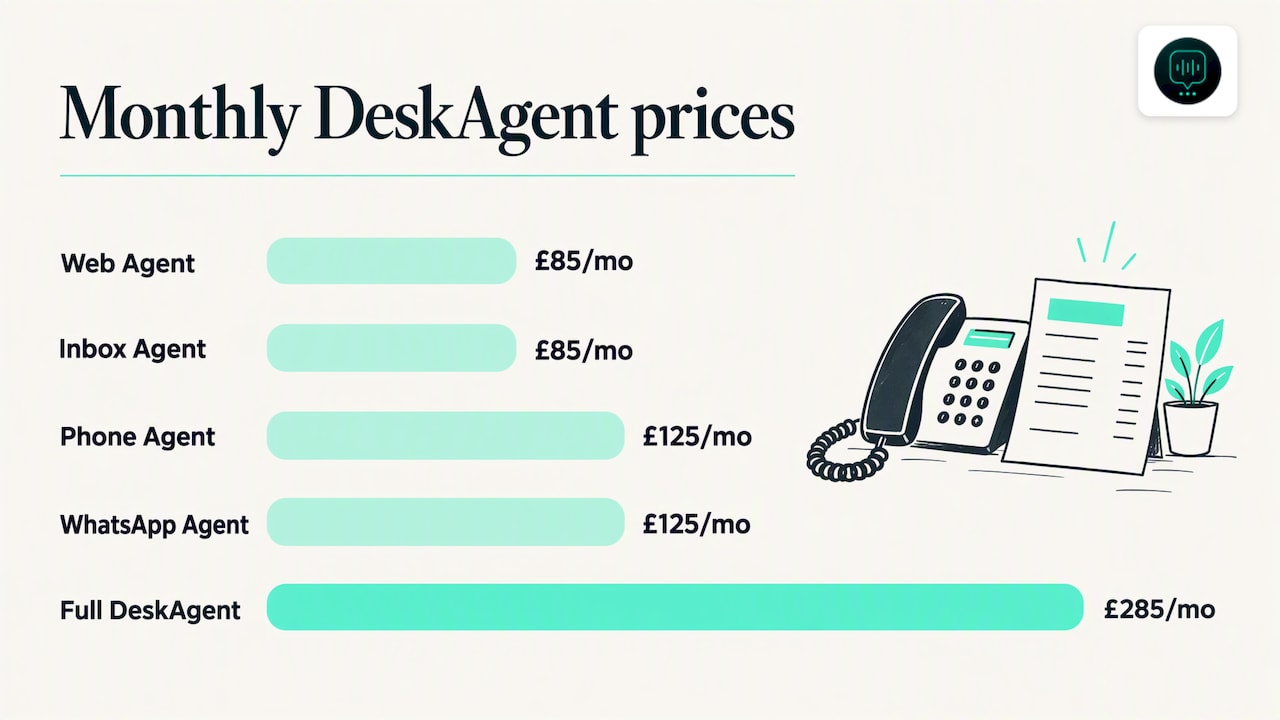
The prices are fixed:
- Web Agent: £85 a month
- Inbox Agent: £85 a month
- Phone Agent: £125 a month
- WhatsApp Agent: £125 a month
- Full DeskAgent (all four agents plus DeskAgent HQ): £285 a month
Single agents have no setup fee, because the first month covers the build. The Full DeskAgent 3-month pilot is a one-off £500 covering the build and three months live, then £285 a month. There are no contracts and you can cancel any time. See the full pricing for the detail. If you would like to see it for your trade, you can book a free 30-minute demo, a call where we show an agent built for your business.
Our view: share the work, but filter it first
We talk to owners of trades and maintenance firms about their enquiries, and the pattern is familiar. The problem is rarely that there are too few people looking at WhatsApp. It is that every message, urgent or not, lands in the same place at the same moment, and the one person who could answer is busy.
A shared inbox is a good fix for the sharing. We think the next step is deciding what should reach a human at all. A message that is really a question about your coverage area, or a request that needs a few details before anyone can quote, does not need an engineer’s attention. An urgent leak does.
That is why we built DeskAgent HQ so the owner can run things from WhatsApp itself: update prices and FAQs, pause the agents and check today’s leads. You stay in control without sitting at a desk. If you want to see how that looks for your own firm, you can book a free 30-minute demo and we will walk through it.
Monty Gordon, founder of DeskAgent
FAQ
Can two people use the same WhatsApp Business number?
Yes. With the free WhatsApp Business app you can link up to four extra devices to one main phone, so several people can see and answer the same chats. For more people, or for assigned chats, you need the WhatsApp Business Platform through a provider.
Can I use the same number on the app and the platform?
Usually not at the same time. Moving a number onto the platform normally means it stops working in the ordinary app. Providers differ, so ask about switching rules and chat history before you move a number your customers already use.
Do I need a shared inbox if I am a sole trader?
Probably not. A sole trader with one helper can manage with the free app and a laptop. A shared inbox starts to pay off when several people need to see messages and you need to know who has replied.
Is it safe to run customer chats on staff phones?
It carries risk. Customer chats contain personal data, and UK GDPR expects you to keep it secure and under your control. A shared inbox with access you can switch off when someone leaves is easier to manage than chats held on personal handsets.
Can an AI answer WhatsApp messages alongside my team?
Yes. Our WhatsApp Agent answers incoming messages, qualifies the enquiry, books into the calendar and passes your team a summary. It is trained on your own services, coverage and FAQs, and your team picks up from there.
Sources
- WhatsApp Business Platform documentation
- WhatsApp help centre: linking devices
- Ofcom: SME consumer experience in the communications market, 2022
- Ofcom: Communications Market Report 2025
- Business.gov.uk: data protection in your business
- ICO: NHS Lanarkshire reprimand
- GOV.UK: direct marketing
Recommended
- WhatsApp Auto Reply: How to Set It Up for Your Business
- AI Front Desk: What It Is and How It Works for Service Firms
- Multichannel Customer Service for UK Service Firms: Fix Handoffs