IVR vs Receptionist: Which Suits Small Firms?
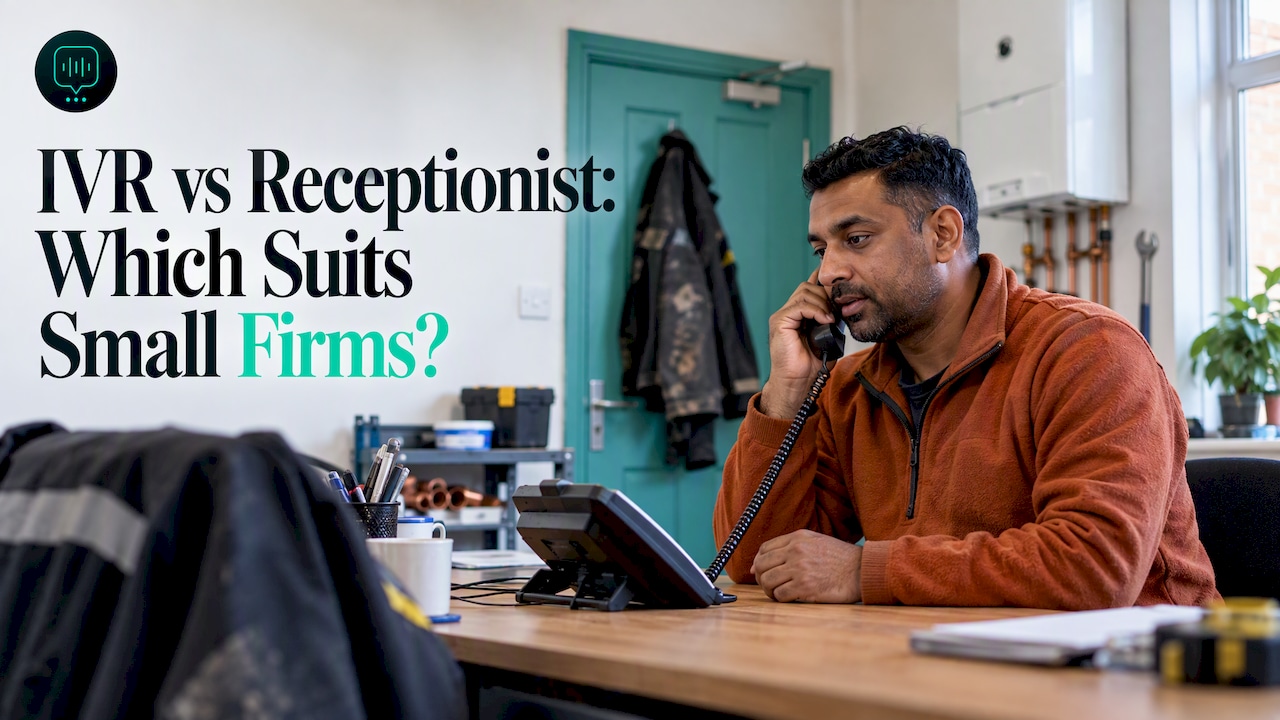
For most small UK service firms, a live receptionist suits callers better, but few can afford one around the clock. An IVR menu is cheap but often frustrating. A third option, an AI receptionist that listens, qualifies and routes, now sits between the two and suits firms whose team is out on jobs.
TL;DR
- An IVR is a recorded menu (press 1 for quotes, press 2 for emergencies). A receptionist is a person who listens and decides. They solve different problems.
- Menus work for simple, predictable calls. Urgent or messy ones, like a leaking roof or a removals quote, need someone who listens.
- A human receptionist gives the best caller experience in working hours, but covers only the hours you pay for, and one person can only take one call at a time.
- Accessibility matters for either choice: keypad-only menus can shut out some disabled and older callers, and the Equality Act expects reasonable adjustments.
- An AI receptionist can answer in plain speech, take the details and pass them to you. We build one at DeskAgent®, and it always says it is AI if asked.
Table of Contents
- How does an IVR menu actually work?
- Why do callers get frustrated with IVR menus?
- What are the pros and cons of a live receptionist?
- How much does IVR cost compared with a receptionist?
- Is voicemail enough, or do you need live answering?
- Are IVR and receptionists accessible to disabled and older callers?
- Where does an AI receptionist fit between IVR and a person?
- Which option suits which type of trade?
- What is our view on IVR, receptionists and AI?
- What does DeskAgent cost, and how do you try it?
- How do you decide between IVR, a receptionist and AI?
- FAQ
- Sources
How does an IVR menu actually work?
IVR stands for interactive voice response. In plain terms, it is the system that answers with a recorded greeting and a list of options. According to TechTarget’s explainer, an IVR accepts keypad or spoken input, gives out information, answers frequently asked questions and passes calls on to live staff.
There are two broad kinds:
- Touch-tone menus. The caller presses a number to choose a path. This is the version most people picture and dislike.
- Speech-enabled IVR. The caller says what they want. TechTarget notes that modern systems using natural language processing allow open-ended dialogue, which is more efficient than touch-tone menus.
A simple auto attendant is the cut-down version: it plays a menu and routes by keypad. A fuller IVR can also look things up and handle self-service tasks such as payments, which is useful for a utility, less so for a three-person drainage firm.
The old kind is still common. A 2025 UK customer experience guide from ContactBabel and Noetica reports that 57% of surveyed organisations used touch-tone IVR. Those are mostly larger contact centres, not firms with ten staff and a van each.
Why do callers get frustrated with IVR menus?
A menu forces the caller to fit their problem into your categories. A homeowner with water coming through the ceiling does not know whether that is option 2 (repairs) or option 4 (emergencies). So they hang up and ring the next roofer.
UK evidence points the same way. Kerv’s 2024 UK guide argues that automation should use the call to understand the enquiry and route it intelligently, and that a menu which merely delays access to a person causes the main frustration.
The HMRC study of telephone automation is older (2017) but still instructive. It found automation more acceptable for simple, non-urgent queries and less welcome for complex or urgent ones. Some callers also reported problems with voice recognition and accents, privacy worries, and difficulty knowing how to respond.
For a trades firm, that maps neatly onto the calls you get:
- Simple and non-urgent: what are your opening hours, do you cover this postcode. A menu or recorded message copes.
- Complex or urgent: a blocked drain overflowing into a kitchen, a boiler down with no heating, a tenant reporting a burst pipe for a landlord. These callers want to be heard.
A menu in front of an emergency line tends to lose exactly the jobs you most want.
What are the pros and cons of a live receptionist?
A good receptionist is hard to beat on the call itself. They hear the tone of voice, ask the follow-up question, reassure a worried customer and know when to interrupt you on a roof.
Where a receptionist wins
- They handle messy, emotional or unusual calls.
- They can judge urgency from how someone sounds.
- Callers feel looked after, which matters when the job is a house move or a large repair.
Where a receptionist struggles for a small firm
- Hours. Someone is paid for the hours they sit there. Evenings, weekends and early mornings, when a lot of emergency enquiries arrive, are either extra cost or uncovered.
- One call at a time. If two people ring while the receptionist is on a long call, the second hits voicemail or rings out.
- Holidays and sickness. Cover is your problem.
- Training. They need to know your services, coverage area and pricing rules, and that knowledge walks out of the door when they leave.
There is also the in-between version: an outsourced answering service where a shared team picks up for several businesses. It solves the hours problem, but the person answering does not know your jobs the way your own staff do. Our guide to the best 24/7 answering service options for UK small businesses goes into that, and our comparison of a virtual receptionist versus an AI receptionist sets out how the two differ.
How much does IVR cost compared with a receptionist?
The honest answer is that the two are priced in different ways, so comparing them takes a little care.
Kerv’s 2024 UK guide, linked above, reports a mean phone contact cost of £5.58 and puts IVR at roughly 30-50p per inbound interaction. Those are large-organisation figures for call handling, not quotes for a small firm, but they show the gap between a handled-by-machine call and a handled-by-person call.
For your own comparison, add up these costs rather than looking at a headline price:
- IVR: the phone system or line rental that includes it, any per-minute or per-call charges, and the time to record and update menus whenever your services change.
- Receptionist: salary or hourly pay plus employer costs, holiday cover, and the hours you will not cover anyway.
- The cost nobody invoices: the job that rang once, got a menu or voicemail, and went elsewhere. For a removals firm in Croydon, one lost full-house quote is worth more than a month of any of these options.
If you want to see how AI answering is priced for service firms, we set it out in what service firms actually pay for an AI receptionist.
Is voicemail enough, or do you need live answering?
Voicemail is a recording and a hope. It is fine for calls that can wait a day: a customer asking for a routine annual service, or a supplier. It is a poor fit for any caller who is comparing three firms from the sofa.
The practical test is what happens when you do not answer. If the caller leaves a message, will you ring back before a competitor answers? Many people simply do not leave a message and ring the next name on the list. That is why firms that spend their days on roofs, under sinks or in vans often struggle with it.
A useful middle ground is to separate calls by type:
- Routine and non-urgent: a clear recorded message with a way to leave details can be enough.
- Quote requests: these are time-sensitive because the customer is shopping around, so a quick, live-feeling answer helps.
- Emergencies: these want a real answer, whether that is you, a receptionist or a system that recognises the urgency and gets it to you.
For a deeper look at the voicemail question, this piece on call answering versus voicemail for small businesses covers how AI call answering compares. We also cover how to capture leads from missed calls and what to do about after-hours calls.
Are IVR and receptionists accessible to disabled and older callers?
This is the question many small firms skip, and it is worth getting right. As a service provider, you have duties under the Equality Act 2010 to think ahead about what disabled customers may need and to make reasonable adjustments. The Equality and Human Rights Commission explains this in the EHRC code of practice on reasonable adjustments.
In phone terms, here is where each option can fall short:
- Keypad-only IVR: callers with limited hand dexterity, tremors or some visual impairments may find pressing numbers on a timed menu hard. Older callers who do not know what a menu is for can also drop out.
- Long menus: people with memory or concentration difficulties, or those who are hard of hearing, struggle to hold five options in their head.
- Speech recognition: the HMRC research, linked above, noted voice-recognition problems linked to accents. People with speech impairments or strong regional accents can be misunderstood by weaker systems.
- Live receptionists: usually the most flexible, because a person can slow down, repeat and adapt. But they need to be available at the time the caller rings, and a phone-only route can still exclude callers who cannot use a voice call at all.
The practical fix is to offer more than one way in. If a caller finds the phone hard, a WhatsApp message or website chat may suit them better, and a real person should always be reachable. Whatever you choose, test it with a relative who is older or has a disability, and ask what was difficult.
What counts as reasonable depends on your size and resources, so read the code of practice for the principles and take advice if you are unsure about your own case.
Where does an AI receptionist fit between IVR and a person?
An AI receptionist replaces the menu with a conversation. The caller says what they need in their own words, and the system asks sensible follow-up questions. Kerv’s guide describes AI voicebots as using natural-language understanding to grasp customer intent, and notes they can gather and assess information before routing, prioritise the call, or complete a self-service task.
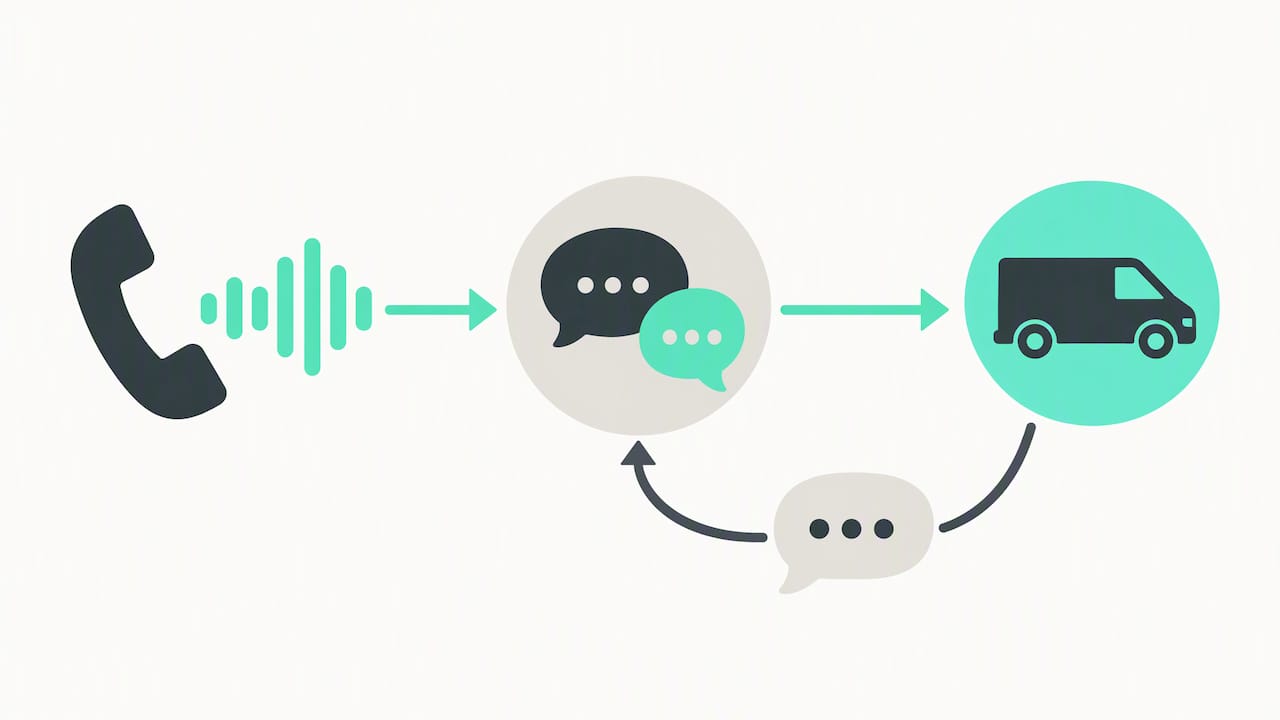
That is the middle option: the availability and consistency of automation, without forcing callers into a numbered tree.
Three honest points for a small firm:
- It is not a person, and it should never pretend to be. The caller deserves to know. Agents like ours sound natural, and they always say they are AI if asked.
- It works best on the first conversation. Taking job type, postcode and urgency, then passing the details to you, is where it earns its place. Complicated negotiation and judgement calls still belong to you.
- It must be set up for your business. A generic script does not know that you do not cover Zone 6, or that a flooded basement is urgent and a dripping tap is not.
Our guide to what an AI front desk is and how it works for service firms and our practical UK guide to an AI receptionist for small business go into more detail.
Which option suits which type of trade?
The right choice depends on how your calls actually arrive. Here is how it looks for common UK service firms.
| Business | Typical calls | What tends to suit |
|---|---|---|
| Removals firm (say, Croydon) | Quote requests, often evenings and weekends, customers comparing several firms | A fast, conversational answer that captures dates, postcodes and property size |
| Roofer (say, Ealing) | Emergency leaks after storms, plus planned quotes, while the team is on a roof | Something that spots urgency and gets the urgent call to you quickly |
| Drainage firm | Blocked drains and flooding, often out of hours | A system that answers at any hour and flags emergencies |
| Cleaning company | High enquiry volume, repetitive questions | Automated answers to routine questions, with a person for complex contracts |
| Pest control | Distressed callers, often wanting same-day help | A calm, conversational first response, quickly passed on |
| Property maintenance firm | Tenant and agent reports, mixed urgency | Qualification by job type and urgency, then routing |
A touch-tone IVR is the weakest fit in most of these rows. A live receptionist is the strongest for the call itself, but only when someone is there. That gap is where AI answering earns its place.
What is our view on IVR, receptionists and AI?
We started DeskAgent because we kept seeing the same thing in London trades firms: the work is good, the team is out on site, and the phone goes unanswered. A menu does not fix that, and a part-time receptionist only covers part of the day.
Our view is that a small firm needs to be answered quickly, in the caller’s own words, on the channel they chose. That is why we built four agents that share one brain: a Phone Agent for calls on your business number via call forwarding, a WhatsApp Agent, a Web Agent for website chat and an Inbox Agent for email enquiries. Each is set up for you and trained on your services, coverage area and FAQs.
Each agent qualifies the enquiry by job type, postcode and urgency, routes urgent jobs to you, books into your calendar and hands your team a summary with the full context. Then it follows up with the customer on WhatsApp. DeskAgent HQ lets you run it all from one WhatsApp chat: update prices and FAQs, pause the agents, and ask for today’s leads and summaries when you want them.
We do not think anyone should be tricked. Our agents sound natural and always say they are AI if asked. If you want a person to take over, the summary means they start with the full picture.
Monty Gordon, founder of DeskAgent
What does DeskAgent cost, and how do you try it?
You can start with one agent or take the lot. There are no contracts and you can cancel any time.
- Web Agent: £85 a month
- Inbox Agent: £85 a month
- Phone Agent: £125 a month
- WhatsApp Agent: £125 a month
- Full DeskAgent (all four agents plus DeskAgent HQ): £285 a month
Single agents have no setup fee, because the first month covers the build. The Full DeskAgent 3-month pilot is a one-off £500 that covers the build and three months live, then £285 a month. See the pricing page for the full picture, or read about the Phone Agent if calls are your main problem.
If you would like to see it working, you can book a free 30-minute demo. It is a call where we show an agent built for your business. Removals firms can also see how this works on our removals page, and the DeskAgent landing page lists all four agents.
How do you decide between IVR, a receptionist and AI?
Work through these questions in order:
- When do your calls arrive? If most come during hours when someone is in the office, a receptionist may be enough. If they come while you are on site or in the evening, you need cover beyond that.
- How urgent are they? The more urgent the typical call, the less you should rely on a menu.
- How varied are they? Repetitive questions suit automation. Unusual, complicated ones need a person at some point.
- Can every caller use it? Check keypad menus, speech recognition and phone-only access against your duty to make reasonable adjustments.
- What does a lost enquiry cost you? Put a figure on one missed removals quote or roofing job, then weigh it against each option.
Most small firms end up with a blend: automation to answer and qualify, a person for the calls that need judgement, and more than one channel for people who find the phone difficult. To see how that would look for your own business, you can book a free 30-minute demo.
FAQ
Is an IVR better than a receptionist for a small trades firm?
Usually not. A touch-tone IVR suits simple, predictable routing, but trades calls are often urgent or unclear. A receptionist handles those far better, as long as someone is there to answer.
Can I just use voicemail when I am on a job?
For calls that can wait, yes. For quote requests and emergencies, many callers will not leave a message and will ring the next firm. Think about which of your calls cannot wait, and make sure something answers those.
Do I have to make my phone line accessible to disabled customers?
As a service provider you have duties under the Equality Act 2010 to make reasonable adjustments. The EHRC code of practice explains what that means, so read it and take advice for your situation. Offering a second route, such as WhatsApp or web chat, is a sensible step.
Will an AI receptionist pretend to be a person?
No. Our agents sound natural but always say they are AI if asked. They collect job type, postcode and urgency, then pass your team a summary with the context.
Do I need a contract to use DeskAgent?
No. There are no contracts and you can cancel any time. Single agents have no setup fee, as the first month covers the build.
Sources
- TechTarget: What is interactive voice response (IVR)?
- Kerv: The Inner Circle Guide to Chatbots, Voicebots and Conversational AI, UK 2024
- HMRC: Customer Experience of Intelligent Telephony Automation, 2017
- ContactBabel and Noetica: The UK Customer Experience Decision-Makers’ Guide, 2025
- Equality and Human Rights Commission: code of practice on services, chapter seven
Recommended
- Virtual Receptionist vs AI Receptionist
- AI Receptionist for Small Business: A Practical UK Guide
- AI Receptionist Pricing UK: What Service Firms Actually Pay
- Voice AI for Small Business: Uses, Costs and Limits